Can ATS Read PDF Resumes?
Most modern ATS can read PDF resumes — but not all PDFs are created equal. Here's how to make sure yours is readable.
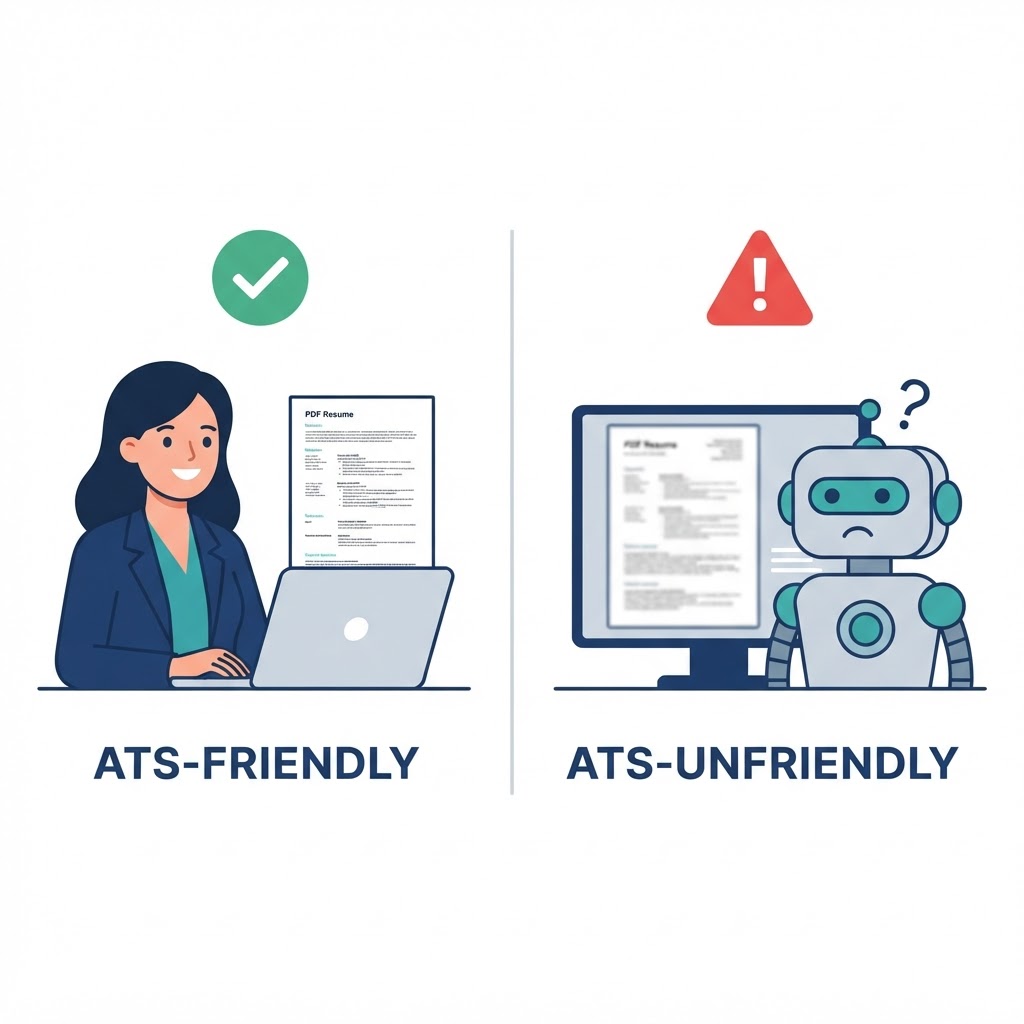
Yes — most modern Applicant Tracking Systems (ATS) can read PDF resumes. However, not all PDFs are created equal. A well-structured, text-based PDF is generally ATS-friendly, while scanned PDFs, image-based PDFs, or heavily designed layouts can cause parsing issues. If an employer doesn't specify a preferred format, a professionally formatted PDF is usually a safe choice.
What You'll Learn
- •Whether most modern ATS can read PDF resumes
- •Why not all PDFs are created equal — text-based vs scanned
- •Common mistakes that make PDFs unreadable for ATS
- •How to test if your PDF is ATS-friendly using the text selection test
- •When to use PDF vs DOCX format for your resume
- •Why clarity matters more than creativity in resume formatting
✅ Short Answer
Yes — most modern Applicant Tracking Systems (ATS) can read PDF resumes.
However, not all PDFs are created equal. A well-structured, text-based PDF is generally ATS-friendly, while scanned PDFs, image-based PDFs, or heavily designed layouts can cause parsing issues.
If an employer doesn't specify a preferred format, a professionally formatted PDF is usually a safe choice.
Why It Matters
Many job seekers still believe that uploading a PDF automatically reduces their chances of passing an ATS. This myth has been around for years, but modern ATS platforms have evolved significantly.
Today's systems can typically extract text from standard PDF resumes without any issues. The real problem isn't the file format — it's how the PDF is created.
For example:
- A PDF exported directly from Microsoft Word is usually ATS-friendly
- A scanned resume saved as a PDF is often just an image and may not be readable
- Complex layouts with multiple columns, text boxes, or decorative elements can confuse some ATS platforms
The goal is to make your resume easy for both the software and the recruiter to read. For more on common ATS misconceptions, read our breakdown of 5 ATS myths that are killing your job applications.
Common Mistakes
- ❌ Uploading a scanned image of your resume as a PDF
- ❌ Using fancy graphics, icons, or text inside images
- ❌ Assuming every ATS behaves the same way
- ❌ Ignoring the employer's application instructions when a DOCX file is specifically requested
📊 Quick Comparison
ATS-Friendly PDF:
- Exported directly from Word
- Selectable text
- Clean headings
- Simple, readable layout
ATS-Unfriendly PDF:
- Scanned image PDF
- Text embedded as images
- Complex graphics and text boxes
- Heavy visual design with multiple columns
💡 CVDraft Tip
Before submitting your resume, open the PDF and try selecting the text with your mouse.
If you can easily highlight and copy the text, chances are the ATS can read it too.
If you can't select the text, your resume may actually be an image rather than a searchable document.
🎯 Hiring Language Perspective™
The ATS isn't looking for a PDF.
It's looking for readable information.
A clean PDF that clearly communicates your skills and achievements is far more valuable than a beautifully designed document that neither the software nor the recruiter can understand.
Choose clarity over creativity.
📊 Is Your PDF ATS-Friendly?
A quick self-check:
- Open your PDF resume
- Try selecting the text with your mouse
- Can you select the text?
- YES → Likely ATS-friendly — good to submit
- NO → Image or scanned PDF — export again from Word or use DOCX
🔗 Related Quick Bites
- QB-001: What Is an ATS Score?
- QB-002: Resume vs CV: What's the Difference?
- QB-003: How Many Pages Should a Resume Be?
- QB-005: What Are Resume Keywords?
- QB-006: Should Every Resume Be Customized?
"A PDF doesn't hurt your chances — an unreadable PDF does."
Recruiter's Advice
"The ATS isn't looking for a PDF. It's looking for readable information. Choose clarity over creativity."
Key Takeaways
- Most modern ATS can read text-based PDF resumes without issues
- Scanned or image-based PDFs are often unreadable for ATS
- Complex layouts with columns and text boxes can confuse ATS parsers
- Test your PDF by selecting text — if you can copy it, the ATS can read it
- A PDF exported from Word is usually ATS-friendly; a scanned PDF is not
- Choose clarity over creativity in resume formatting
Frequently Asked Questions
Test Your Resume Against a Real Job Description
Upload your resume and paste a job description — get an instant ATS match score, keyword gaps, and actionable fixes.
Analyze My ResumePut This Into Practice
Analyze My Resume
Compare your resume against a real job description and identify ATS keyword gaps.
Go to Resume AnalyzerGenerate My Cover Letter
Create a tailored cover letter that matches your resume and target role.
Go to Cover Letter GeneratorContinue Your Journey
You have completed
✔ ⚡ Quick Bites Chapter 4
Continue with
➡ ⚡ Quick Bites Chapter 5
What Are Resume Keywords?